#include "cxWindow.h"#include "cxMultiLineInput.h"#include "cxComboBox.h"#include "cxMenu.h"#include <string>#include <vector>#include <set>#include <map>#include <memory>
Include dependency graph for cxForm.h:
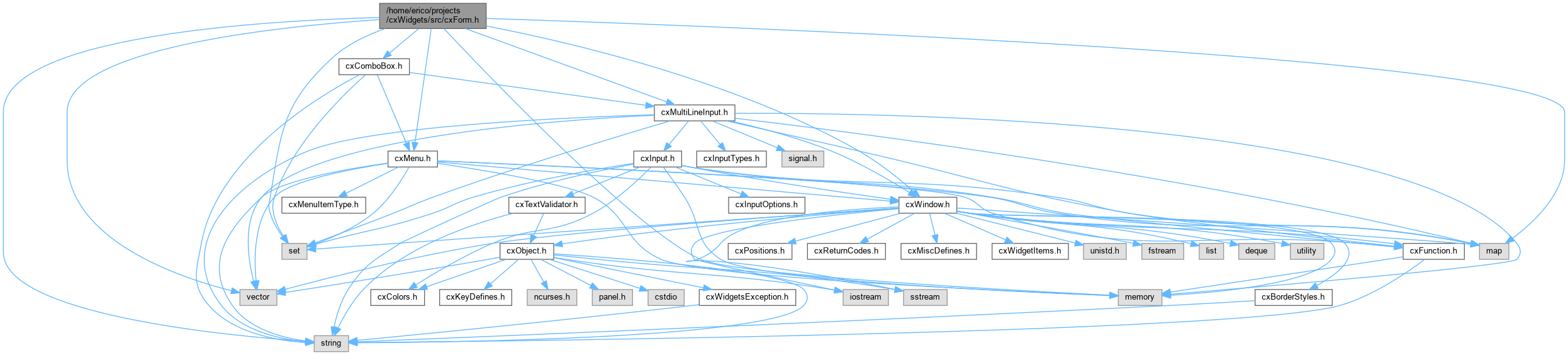
This graph shows which files directly or indirectly include this file:

Go to the source code of this file.
Classes | |
| class | cx::cxForm |
| Represents a form that contains text inputs. The user can move forward between the inputs on the form using the TAB and down arrow, and backward using SHIFT-TAB or the up arrow. The tab order is is based on the order in which the inputs are appended to the form. The input indexes also match the order in which the inputs are appended to the form, and they are zero-based. It is a good idea to use unique labels for the inputs or unique names, since many of cxForm's methods access the fields the fields by label/name; in particular, getValues() populates a map of field labels/names and values, and if there are duplicate labels or names, it would not return the values of all the fields on the form. The function getInput() can be used to get a pointer to one of the inputs, but one caveat of cxForm is that some operations shouldn't be performed on inputs added to a cxForm: More... | |
Namespaces | |
| namespace | cx |
| cxBorderChars.h - Defines border characters to be used in drawing a box (i.e., in cxWindow and all its derivitives) | |
Macros | |
| #define | DEFAULT_CXFORM_JUMPMENU_KEY KEY_F(4) |
Typedefs | |
| typedef std::pair< std::shared_ptr< cxMultiLineInput >, std::shared_ptr< cxMultiLineInput > > | cx::cxMLInputPtrPair |
| typedef std::pair< std::shared_ptr< cxComboBox >, std::shared_ptr< cxComboBox > > | cx::cxComboBoxPtrPair |
Enumerations | |
| enum | cx::eInputType { cx::eIT_CXMULTILINEINPUT , cx::eIT_CXCOMBOBOX } |
Macro Definition Documentation
◆ DEFAULT_CXFORM_JUMPMENU_KEY
| #define DEFAULT_CXFORM_JUMPMENU_KEY KEY_F(4) |